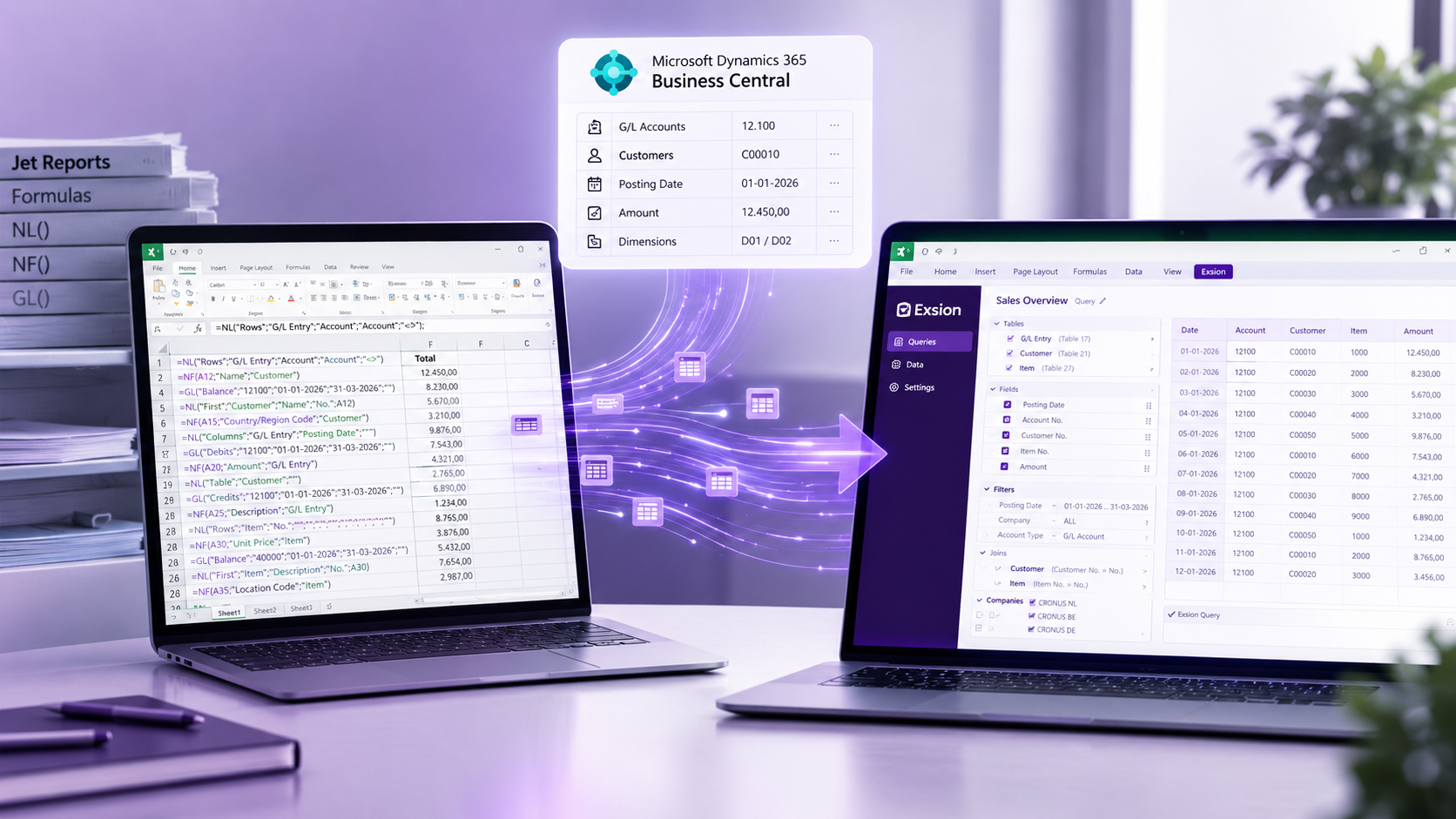


Business intelligence for a Business Central finance team does not have to mean a six-figure platform and a consultant for every extra column. For roughly 80% of a controller's daily reporting, the fastest and cheapest route is Excel connected live to Business Central: an add-in that installs from AppSource in about five minutes, reads the tables directly and refreshes with one click. The remaining 20%, enterprise-wide dashboards and predictive models, is where Power BI earns its keep. In this post, Thomas Werkhoven, Director of Exsion365 and former controller at Van Wijnen and BAM, explains how the two fit together and what each one costs.
Why is BI so often expensive and complex?
During my years as a controller at Van Wijnen and BAM, I saw the value of large BI platforms. Power BI, Tableau or QlikView are excellent for strategic dashboards that the whole organisation looks at. But a controller also needs flexible, daily reports they can adjust themselves, and that is where the platform approach starts to hurt.
A BI platform sits on a data model. Someone has to design that model, load Business Central into it, keep it in sync and change it every time finance needs a field that was not in the original scope. Each of those steps is a job for IT or a consultant. The platform is not expensive because the software is expensive; it is expensive because the work around it never stops. Microsoft's own reporting and business intelligence overview for Business Central lists the built-in options, Excel and Power BI side by side for exactly this reason: they solve different problems.
That is why many companies use both. BI tools for strategic overviews, and a pragmatic solution for operational work. It is about the right tool for the right job. We go deeper into that split in Power BI or Excel: an honest comparison for controllers.
What does enterprise BI really cost?
Enterprise BI platforms quickly cost 50,000 euro or more per year in licences, plus 150,000 to 300,000 euro for implementation. For strategic analysis across a group that can be justified. For daily reporting it means dependency on consultants: adding an extra field is another invoice, and a question from the auditor on Tuesday is answered the following week.
At Van Wijnen we had an excellent BI implementation for strategic purposes. For my daily work, quick insight into 187 different companies, we needed something more flexible. The dashboards told me what had happened last month. They could not tell me why a cost centre was over budget this morning, and they could not be changed before the management meeting.
The comparison below is the one I wish I had seen as a controller.
[[TABLE_START]]
Criterion | Enterprise BI platform | Excel connected live to Business Central
Typical first-year cost | 50,000 euro licences plus 150,000 to 300,000 euro implementation | Per-user subscription, public pricing, 30-day trial
Time to first report | Weeks to months | Same day, 5 minute install
Who changes a report | IT or a consultant | The controller
Adding a field | Data model change, ticket, invoice | Tick the column in the query
Data freshness | Scheduled load, often nightly | Live on every refresh
Drill-down | To the level the model allows | To the posted entry in Business Central
Best for | Group-wide dashboards, predictive analytics | Daily, month-end and ad hoc controller reporting
[[TABLE_END]]
Exsion Reporting: BI for controllers, by controllers
When I discovered Exsion Reporting, everything fell into place. Excel as the interface, but with direct access to real-time data from Business Central. It fills the gap between strategic BI and operational reporting.
As a customer I became so enthusiastic that I sat next to the developers with a stopwatch: "Can it be even faster?" That collaboration ultimately led to my role as director. The result is an Excel add-in that installs in five minutes and sits alongside whatever BI landscape you already have.
In practice it works like this. The controller opens Excel, signs in with their Business Central account and picks the tables they need, for example G/L Entry (table 17) for actuals, G/L Budget Entry (96) for budget and Job Ledger Entry (169) for project cost. The add-in inherits the user's Business Central permissions, so there is no second security model to maintain. The query is saved in the workbook; next month the controller clicks refresh and the same layout fills with current figures.
The power of Exsion Reporting:
- Implementation in 5 minutes from AppSource through Extension Management, no server, no data warehouse
- One-click refresh for live data
- Drill-down from total to the posted invoice
- Build reports yourself without IT
- Keep Excel's flexibility: pivots, formulas and charts survive every refresh
How do Power BI and Exsion work together in practice?
At 4PS, the combination works well. Arnold van der Werf: "Power BI for fixed dashboards, Exsion for everything that needs flexibility. Controllers can respond directly to questions without involving IT."
This is exactly how we position Exsion365: as a complement to your existing BI landscape, not a replacement. A construction sector client put it this way: "For management reporting we use Power BI. For daily operational reports, Exsion is indispensable. What took three days now takes minutes."
The division of labour is simple. Power BI owns the numbers everyone agrees on and looks at every week. Exsion owns the questions nobody expected: why is this project over budget, which customers are 90 days overdue, what did we post to this account yesterday. Those questions are where a controller's value shows, and they are the ones a fixed dashboard cannot answer.
The 80/20 rule with Exsion Reporting
With Exsion Reporting, we cover roughly 80% of a finance team's BI needs:
- Consolidation: all entities in your group in one report (see how to consolidate multiple companies in Business Central using Excel)
- Comparisons: actual versus budget or previous year, immediately available from tables 17 and 96
- Ad hoc analysis: that unexpected management question answered within the hour
- Project reports: from budget control to margin analysis, straight from the job ledger
For complex predictive analytics and enterprise-wide KPIs, platforms like Power BI remain the right choice. Exsion focuses on what controllers work with every day. If you are weighing up the tools in this space, 7 best Business Central Excel reporting tools in 2026 compares the options side by side.
Start today with a complete BI strategy
Business intelligence is not one-size-fits-all. With Exsion Reporting you add a pragmatic layer to your BI landscape. Controllers build their own daily reports, while IT keeps control over the strategic platforms.
For a fraction of the cost of a platform, you have a solution that works with the tools you already own. You start with a few users and expand when needed. Pricing is public on the pricing page, including a 30-day trial.
Want to see how Exsion Reporting can transform your reporting process?
Contact us for a free online demo. In 30 minutes I will show you how to go from complex to effective, and you can get started the same day.
Frequently asked questions
[[FAQ_START]]
Do I need Power BI to report on Business Central? | No. For daily and month-end controller reporting, Excel connected live to Business Central covers most needs. Power BI is the right choice for group-wide dashboards and predictive analytics, and many teams run both.
What does a BI implementation for Business Central typically cost? | Enterprise BI platforms often run to 50,000 euro or more per year in licences plus 150,000 to 300,000 euro for implementation, before ongoing consultant time for changes.
How is Exsion Reporting different from exporting to Excel? | An export is a snapshot you repeat every month. Exsion Reporting keeps the query in the workbook and refreshes live Business Central data with one click, so the layout is built once.
Does Excel-based reporting bypass Business Central security? | No. Exsion Reporting signs in with the user's Business Central account and inherits their permissions, so the data visible in Excel is the data they could see in Business Central.
How long does it take to get started with Exsion Reporting? | The add-in installs from AppSource in about five minutes and a first report is usually built the same day. A 30-day trial is available.
[[FAQ_END]]